Applications — 3D & BIM
3D and BIM applications: every building as a digital file
At Safanto, a 3D model is not an end in itself. It is a gateway to your building file. Click on a component in the model and you immediately see the latest inspection, the condition score and the evidence behind it — on IFC and GLB, in the browser, without heavy CAD software.
IFC viewer
Browser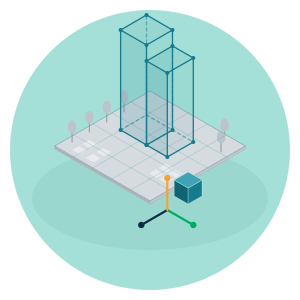
Digital twin
Click a component → asset, requirement & evidence
Screen view: illustrative.
From model file to building file
From IFC/BIM to a usable 3D building file
Many BIM models end up in an archive after handover and stay there — great for the construction phase, useless for the management that follows. Safanto imports your IFC/BIM files and links every component in the model to the corresponding asset in your building file. That way the model is no longer a standalone file, but a usable 3D building file: up to date, searchable and connected to what actually happens in the building.
Not 3D for the sake of 3D. The model is the map; the building file is the goal.
Product & parts libraries
Interactive 3D libraries on GLB
Alongside the building model, Safanto builds interactive product and parts libraries on GLB. Property managers and contractors browse installations, parts and products in 3D, directly in the browser — no CAD licence, no installation, on any device. A parts library that is as easy to use as a product catalogue, but with the precision of a 3D model.
Digital twin
From model to asset, requirement and evidence
This is where the model adds value. Click on a component in the digital twin and you see the asset behind it in a single step.
Which obligation applies to it, what the latest condition score was and what evidence is on file — no searching through folders or separate systems. The model is the entry point; the building file provides the answer.
- Component in 3D
- Asset
- Obligation
- Condition score
- Evidence
Accessible
Works in the browser, without heavy CAD software
Every user — property manager, contractor, or a board member who wants to walk through a building — simply opens the model in the browser. No CAD package, no heavyweight licence, no installation. That makes the digital twin just as accessible as the dashboard next to it.
One stack
Linked to the obligations register and dashboard
The 3D applications run on the same asset data as Safanto One.
What you click on in the model is the same obligation, the same condition score and the same evidence that appears in the compliance map. One source, three views — building file, map and model — never double entry, never conflicting figures.
What it delivers
For management, maintenance and investment decisions
That way the digital twin is not a showcase, but part of the same cycle the compliance map keeps track of: flag, carry out, prove.
Management
Find a component visually instead of in a list, with its status shown right alongside.
Maintenance
Contractors see in the model exactly which component is involved, so the wrong one doesn't get worked on.
Investment decisions
The condition score per component is visible on the model itself, based on NEN 2767 (the Dutch condition-assessment standard), so replacement or maintenance is planned on solid grounds, not guessed.
Condition score according to NEN 2767. More about the method: Read about our methodology →
Who it's for
What the model delivers for each role
Property managers
A visual entry point to the building file — find a component faster and see its status straight away, without searching through folders.
Contractors
Precision in the field: identify the right component via the model or a QR scan, and have the work count directly as evidence.
QR Workstart →Management board
Walk through a building in 3D and see immediately where risk or overdue maintenance lies — the rationale for the next investment round.
Owners
Proof that a delivered BIM model doesn't disappear into an archive, but contributes to the evidence of compliance.
Frequently asked questions
Questions about 3D & BIM
- Which file formats does Safanto support?
- Safanto imports IFC models for the building file and uses GLB for interactive product and parts libraries in the browser.
- Do I need CAD software to view the models?
- No. The model and parts library are browser-based. No CAD licence or installation needed.
- Is the 3D view the same as the building file in Safanto One?
- Yes. Model, map (GIS) and building file run on the same asset data. What you click on in the model is the same asset, obligation and condition score as in the compliance map.
- Does this replace a BIM management package?
- No. Safanto makes a delivered IFC/BIM model usable for management, maintenance and compliance evidence — not for design or modelling.
- Can I start with a single building?
- Yes. You start with the model of one complex or building and expand at your own pace, just as with the rest of Safanto One.
A model that only looks good delivers nothing
See in a demo how your 3D and BIM data contribute to the evidence that you are in control.