

QR asset management
QR Workstart — asset management with QR codes
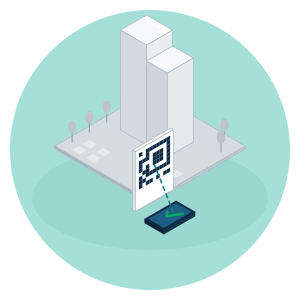
An asset without a QR code is invisible to your register. QR Workstart gives every object a digital identity: scan the code on site, report a fault, carry out a last-minute risk assessment (LMRA) or start an inspection — and the work counts as evidence in the compliance map straight away.
No more paper forms that have to be retyped afterwards.
The problem
Field work that never makes it back into the file
Many assets in the field have no identity of their own: an installation, pipe or component is physically there, but isn't registered separately anywhere in the system. Work a technician carries out on the spot — a fault report, an inspection, an LMRA — therefore often doesn't make it back into the file, or only much later. As a result, nobody knows for sure whether what's on paper actually happened, and good field work doesn't count as evidence.
QR Workstart solves this at the source: where the work happens.
An identity for every object
Label and identify assets with QR codes
Every object — from installation to component — gets its own QR code, linked to its place in the digital building file (complex → object → asset, following NL-SfB, the Dutch building classification system).
Scan the code and you immediately see which object it is, what is already known about it and what still needs to be done. From now on, the physical world and the register speak the same language.
Key features
From scan to task on site
One scan opens the right work for that location. Four tasks that start straight from the QR code.
Workplace management
Scan a location or object and instantly see its current status, history and open items — without searching in a separate system.
Fault reporting
Report a fault right where it occurs, with a photo and a description. No separate report form that has to be retyped later.
LMRA & RIE
Carry out the last-minute risk assessment (LMRA) and the risk inventory and evaluation (RIE) before work starts, recorded against the object where the work takes place.
Inspections
Start an inspection from the QR code and record the result on the right object as soon as the inspection is finished.
Every action is automatically linked to the right object — no separate paperwork, no duplicate data entry.
From the field to the obligations register
Every scan counts as evidence
Whatever is scanned, reported or inspected on site flows automatically into the obligations register and the compliance map in Safanto One.
Obligations register & compliance map
Safanto One
Whatever is scanned, reported or inspected on site flows automatically into the obligations register and the compliance map. Field work counts as up-to-date evidence straight away — not as reporting gathered after the fact.
Read more →Maintenance & work orders
Ordo
Is a scanned object covered by a long-term maintenance plan (MJOP)? Then Ordo turns the task into a work order or includes the work in the MJOP.
Read more →3D component per object
3D/BIM
For objects with their own 3D/BIM element, the scan can link straight through to the corresponding 3D component.
Read more →For maintenance teams and contractors
Work done on site counts automatically
Property managers
“I'm in control — without having to chase my data.”
Work done in the field comes back into the file automatically. No more separate timesheets or report forms.
Contractors
“I know exactly what needs to be done — and my work counts as evidence straight away.”
Scan the QR code, see the job and record the result on the spot. It flows back to the compliance map automatically.
QR Workstart is used by maintenance teams at housing associations and healthcare real estate providers, among others, where many objects are spread across multiple locations.
Frequently asked questions
Good to know
- What exactly is QR Workstart?
- QR Workstart links physical assets to your digital register via a QR code. Scan the code on site to see the status, report a fault, carry out an LMRA or start an inspection — right where the work happens.
- How does an asset get its QR code?
- Every object gets its own QR code, linked to its place in the digital building file (complex → object → asset). After scanning, you immediately see which object it is and what still needs to be done.
- Does QR Workstart also handle my MJOP or work orders?
- No. QR Workstart starts the work on site; the long-term maintenance plan and the resulting work orders are created and managed in Ordo. The two are linked.
- Does QR Workstart work with Safanto One?
- Yes. Everything scanned, reported or inspected in the field flows automatically into the obligations register and the compliance map in Safanto One — as up-to-date evidence, not as separate reports.
- Who is QR Workstart for?
- For maintenance teams and contractors working on site: property managers who want a grip on what happens in the field, and contractors who want their work to count as evidence straight away.
Every scan counts as evidence
See in a demo how QR Workstart links your field work directly to the compliance map.